A smart garage door opener transforms how you access your home. Instead of fumbling for a remote or worrying whether you closed the door, you control everything from your phone, even when you’re miles away. Chamberlain, a trusted name in garage door automation for over 80 years, offers several smart models that integrate seamlessly with popular home automation systems. Whether you’re upgrading an older opener or installing your first smart system, understanding what Chamberlain brings to the table helps you make a confident choice. This 2026 guide walks through features, installation realities, model comparisons, and what to expect after you’ve installed one.
Table of Contents
ToggleKey Takeaways
- A Chamberlain smart garage door opener combines convenience and security by letting you control and monitor your garage remotely via the myQ app, with real-time alerts whenever the door opens or closes.
- Smart openers integrate with major platforms like Amazon Alexa, Google Home, and Apple HomeKit, enabling voice control and automated routines such as closing the door at sunset or when you leave home.
- Installation typically takes 30–45 minutes for DIYers with basic mechanical skills, but professional installation ($200–$300) is recommended if you’re uncertain about removal or spring adjustments.
- The entry-level myQ (under $300) covers basic smart control needs, while the myQ Pro ($400–$450) adds HomeKit integration for Apple users and advanced scheduling options.
- Regular maintenance is minimal: check battery backup twice yearly, keep rails clean, and troubleshoot Wi-Fi connectivity issues by repositioning your router or adding a mesh extender if garage signals are weak.
What Makes Chamberlain Smart Garage Door Openers Stand Out
Chamberlain smart garage door openers aren’t just conveniences, they’re security upgrades. Unlike basic remote controls, smart openers let you monitor and control your garage from anywhere with internet access. You receive real-time alerts when the door opens or closes, so you’ll know instantly if someone accesses the garage unexpectedly.
The company’s myQ technology is the backbone of most Chamberlain smart systems. It works with your existing garage door, whether it’s a traditional swing-up or sectional model. The opener itself replaces only the motor unit, so you keep your existing door and springs intact. Installation generally takes 30–45 minutes for experienced DIYers, though hiring a professional is always an option if structural work is involved.
Key Features and Smart Home Integration
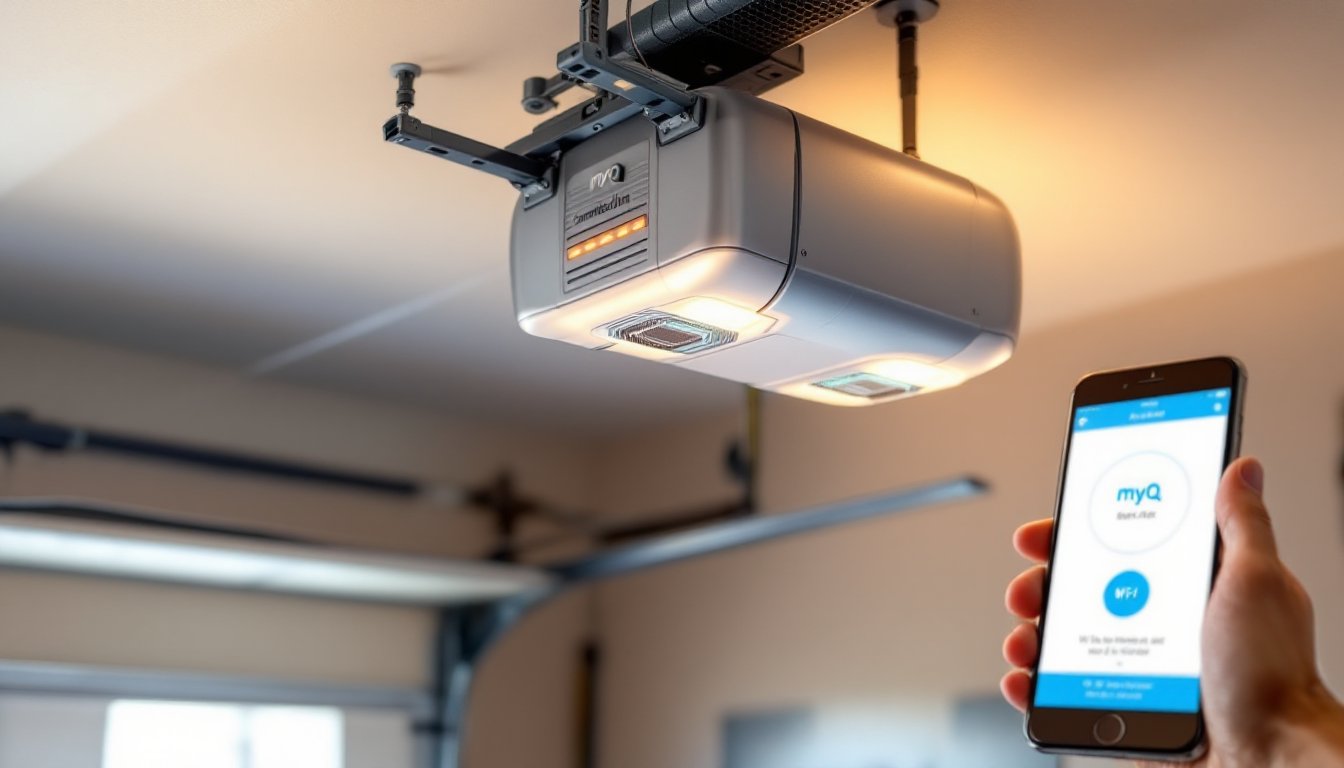
Chamberlain’s smart openers connect to your home Wi-Fi, enabling remote access via the myQ app. The app shows your door’s open or closed status in real time, and you can trigger the opener remotely with a tap. No more wondering if you left the door open after backing out of the driveway.
Integration with major smart home platforms, Amazon Alexa, Google Home, Apple HomeKit, means you can voice-control your garage. Say “Alexa, close the garage,” and it happens. This integration also lets you build automation routines: for example, closing the garage automatically at sunset or when you leave the house.
Safety is built in. Chamberlain openers include rolling code technology, which changes the access code with each use, preventing code-grabbing attacks. They also feature automatic close features, the door closes automatically if left open for a set time. Battery backup ensures the opener works during power outages, though you’ll still need manual operation if the door is stuck. The opener monitors battery health and alerts you via the app when replacement is near.
Installation and Setup for DIY Homeowners
Installing a Chamberlain smart opener requires basic mechanical skill and standard tools: a socket wrench set, adjustable wrench, flathead screwdriver, and a drill for mounting bolts. You don’t need specialized training, but read the manual twice before starting, garage door systems are under high tension, and mistakes can cause injury.
Important: If your garage door springs are broken or frayed, or if the door moves unevenly, address those issues first. A professional spring replacement is safer and often code-required in some jurisdictions. Don’t attempt to repair or adjust springs yourself.
The basic installation steps are straightforward. Disconnect power to your existing opener. Remove the old unit by unbolting the trolley from the door and the motor from the ceiling. Install the Chamberlain unit using the provided mounting hardware, ensuring the motor sits securely on the garage ceiling or wall, depending on your door type. Reattach the trolley and test manual operation before powering on.
Once installed, connect the opener to Wi-Fi via the myQ app. The app guides you through pairing, adding the door to your smart home hub, and configuring notifications. Most DIYers finish setup in under an hour. If Wi-Fi signal is weak in the garage, consider a mesh Wi-Fi extender or relocating your router.
If you’re uncertain about removing the old opener or adjusting tension settings, hiring a professional for $200–$300 is worth the confidence and safety. Chamberlain’s customer service can also recommend local installers in your area.
Comparing Popular Chamberlain Models
Chamberlain offers several smart openers at different price points, each suited to specific needs.
The Chamberlain myQ (G0401) is the entry-level smart option, typically under $300. It connects to Wi-Fi, works with Alexa and Google Home, and includes battery backup. Features are straightforward: remote open/close, status notifications, and automatic close. This model works for homeowners who want basic smart control without extra bells. A comprehensive review of the Chamberlain myQ smart garage door opener covers installation details and real-world performance.
The myQ Pro ($400–$450) adds HomeKit integration for Apple users and advanced scheduling options. If your smart home leans toward Apple devices, this is the pick.
For larger homes or dual-door setups, the Chamberlain Professional line offers heavy-duty motors rated for commercial use. These cost more upfront but handle frequent cycling and heavier doors better. If you’re retrofitting a very old or heavy wooden door, this tier is worth considering.
When choosing, ask yourself: Do I need HomeKit? Do I want voice control? How often will I use remote access? Budget matters, but the $100–$150 gap between models is small compared to the peace of mind they add. Most DIYers find the standard myQ sufficient, reserving Pro models for high-traffic garages or commercial applications.
Mobile App Control and Remote Access
The myQ app is the interface for your smart opener. Download it on your phone, create a Chamberlain account, and pair your garage door. The app displays your door’s status, open, closed, or partially open, in real time. A large button in the center of the screen opens or closes the door with one tap.
Notifications are the app’s real strength. You’ll receive alerts whenever the door opens or closes, whether you triggered it or someone else did. This feature alone catches careless door-leaving: you back out, drive five minutes down the street, and get a notification reminding you the door is still open. One tap closes it.
Remote access works anywhere with internet, home, office, or vacation. The connection is encrypted, so your garage isn’t exposed to casual hacking. If you lose internet at home, you can still control the door via cellular data on your phone, though the door itself won’t open unless it has power.
Sharing access is useful for family members, housekeepers, or contractors. You can grant temporary access codes through the app, and revoke them anytime. Logs show who opened the door and when, creating an audit trail for security-conscious homeowners. A deep jump into smart home technology news and home automation reviews offers context on how smart garage security fits broader home automation trends.
Maintenance Tips and Troubleshooting
Smart openers require minimal maintenance compared to traditional ones. Check the battery backup twice a year and replace it if the app alerts you, a standard 9-volt battery costs under $10. Inspect the trolley rails for debris and wipe them clean annually. If the door makes grinding sounds, the rails may need lubrication: apply a silicone-based lubricant (not WD-40, which attracts dust) sparingly.
If the app loses connection to your opener, first check your Wi-Fi signal. Garage walls can block signals, especially in older homes with metal framing. Move the router closer, add a mesh extender, or reposition the opener’s antenna if it has one. Restart the opener by power-cycling it: flip the breaker off for 30 seconds and back on.
If the app still won’t connect, sign out of the app, restart your phone, and sign back in. This often clears temporary glitches. If problems persist, factory reset the opener following the manual’s instructions, then re-pair it.
The door itself will occasionally stick or move slowly, especially in cold weather when grease thickens. Mild sluggishness is normal and doesn’t require action. If the door won’t close completely or reverses mid-cycle, the photo-eye sensors (safety beams at the door’s base) may be misaligned or blocked. Clean the lenses with a soft cloth and check that nothing obstructs the beam. Realign if needed by loosening the mounting brackets slightly and angling the sensors toward each other.
If you’re unsure whether an issue is app-related, door-related, or network-related, Chamberlain’s troubleshooting guide and customer support are accessible through the myQ app. Response times are usually 24–48 hours for email support.
Conclusion
A Chamberlain smart garage door opener is a practical upgrade that delivers security, convenience, and integration with your broader smart home. The hardware is reliable, the app is intuitive, and installation is within reach for most DIYers. Whether you choose the entry-level myQ or a feature-rich Pro model depends on your budget and how heavily you’ll use remote access and integrations. Start by assessing your current garage door’s condition, check that springs are functional, then proceed confidently with your upgrade. The results, remote control, real-time alerts, and seamless smart home integration, justify the investment.